Manual Account Handling
Before Genysis
- Broker portals checked account by account
- Alerts and spreadsheets drive the day
- Follow-up depends on memory and manual review
- Records are assembled after the fact

Genysis
Your Signal Strategy. One Platform for Broker-Connected Execution, Retained Records, and Reporting Visibility.
Genysis helps professional account managers implement approved signal strategies through a broker-connected operating platform for account-aware execution, monitoring, retained records, and reporting across multiple supervised accounts.
Professional account managers may already have a strategy, model, or approved signal process. The harder part is integrating those signals and carrying that process across multiple supervised accounts without scattered broker screens, delayed follow-up, inconsistent account treatment, or weak records.
Manual Account Handling
Genysis Operating Layer
Governed Workflow
Overview
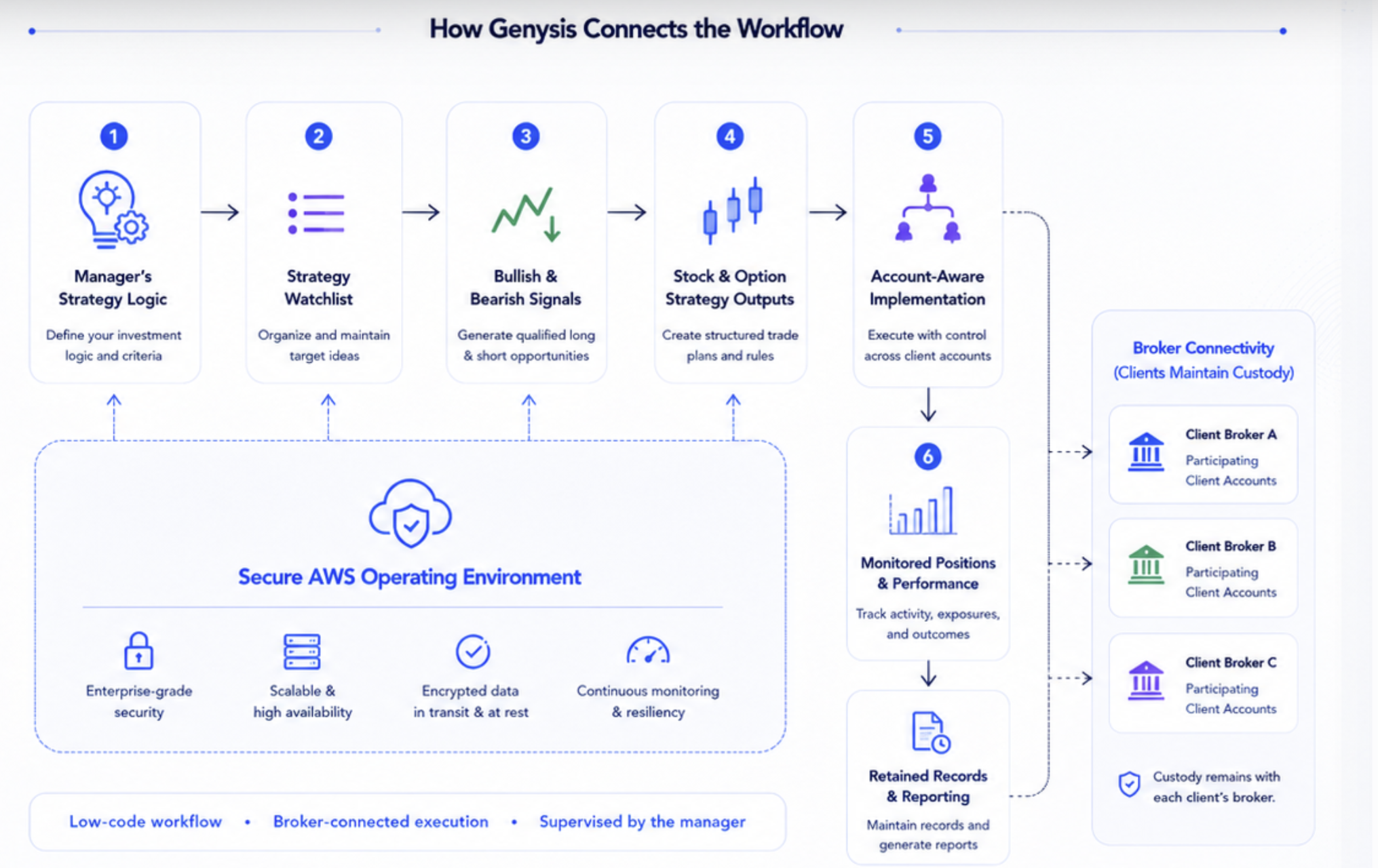
This is where the manager's own strategy becomes an organized operating workflow connecting review, implementation, monitoring, retained records, and account-level control.
Watchlist
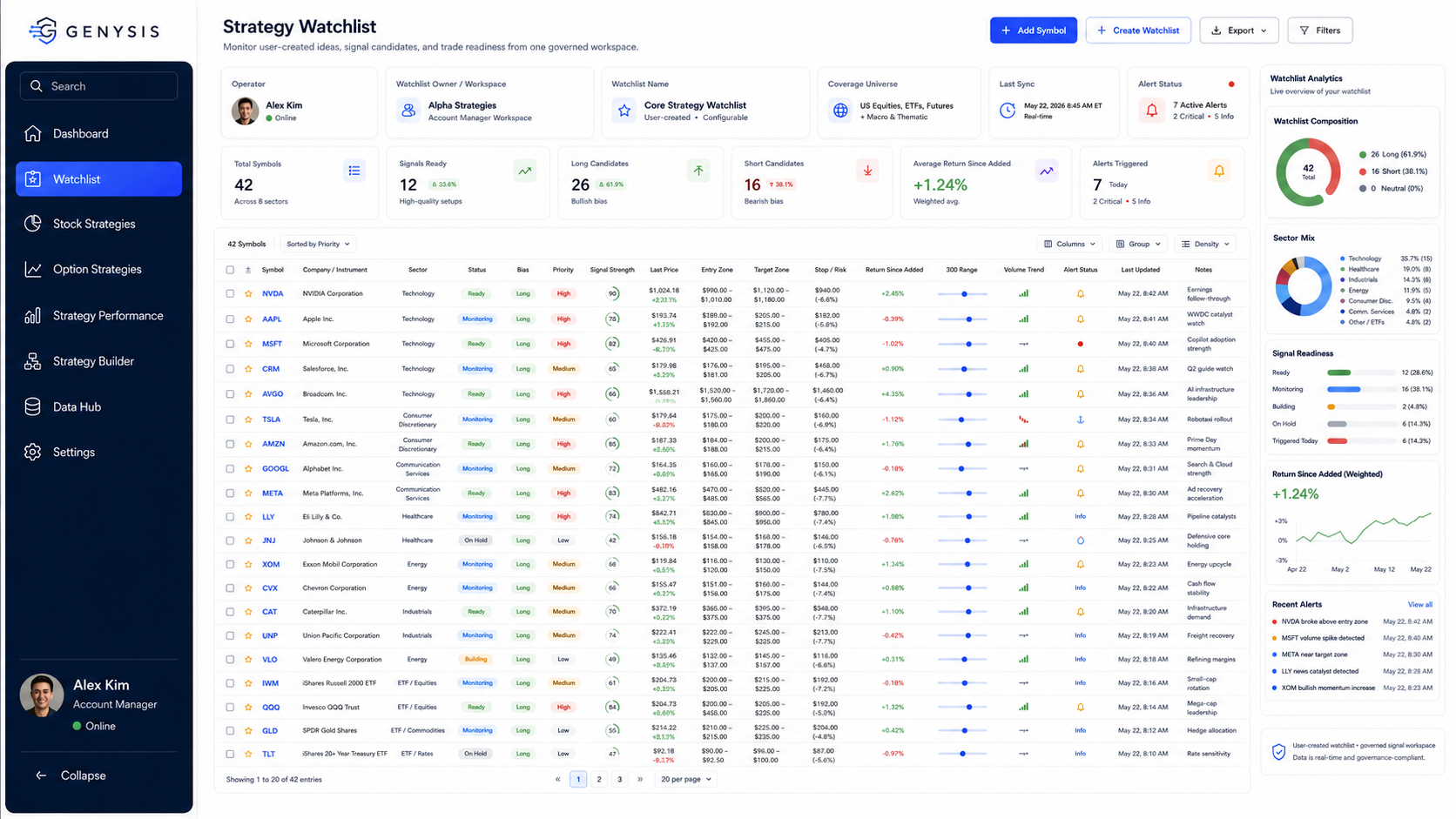
This is the starting point of the workflow. The manager defines the investment universe that Genysis will evaluate according to the manager's configured strategy logic.
Stocks
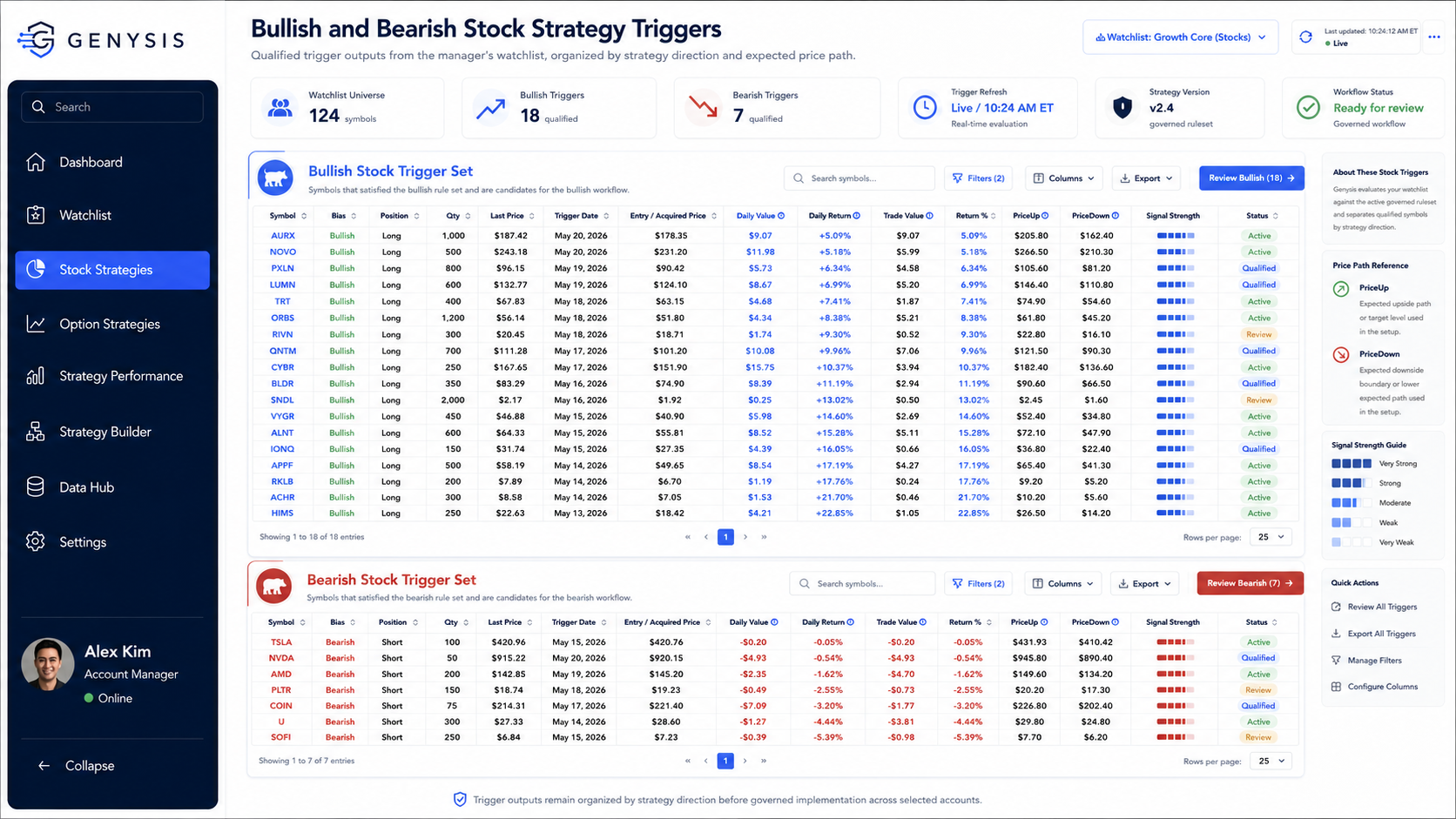
This is where the manager's broad watchlist becomes organized stock opportunities for governed review under their configured strategy.
Options
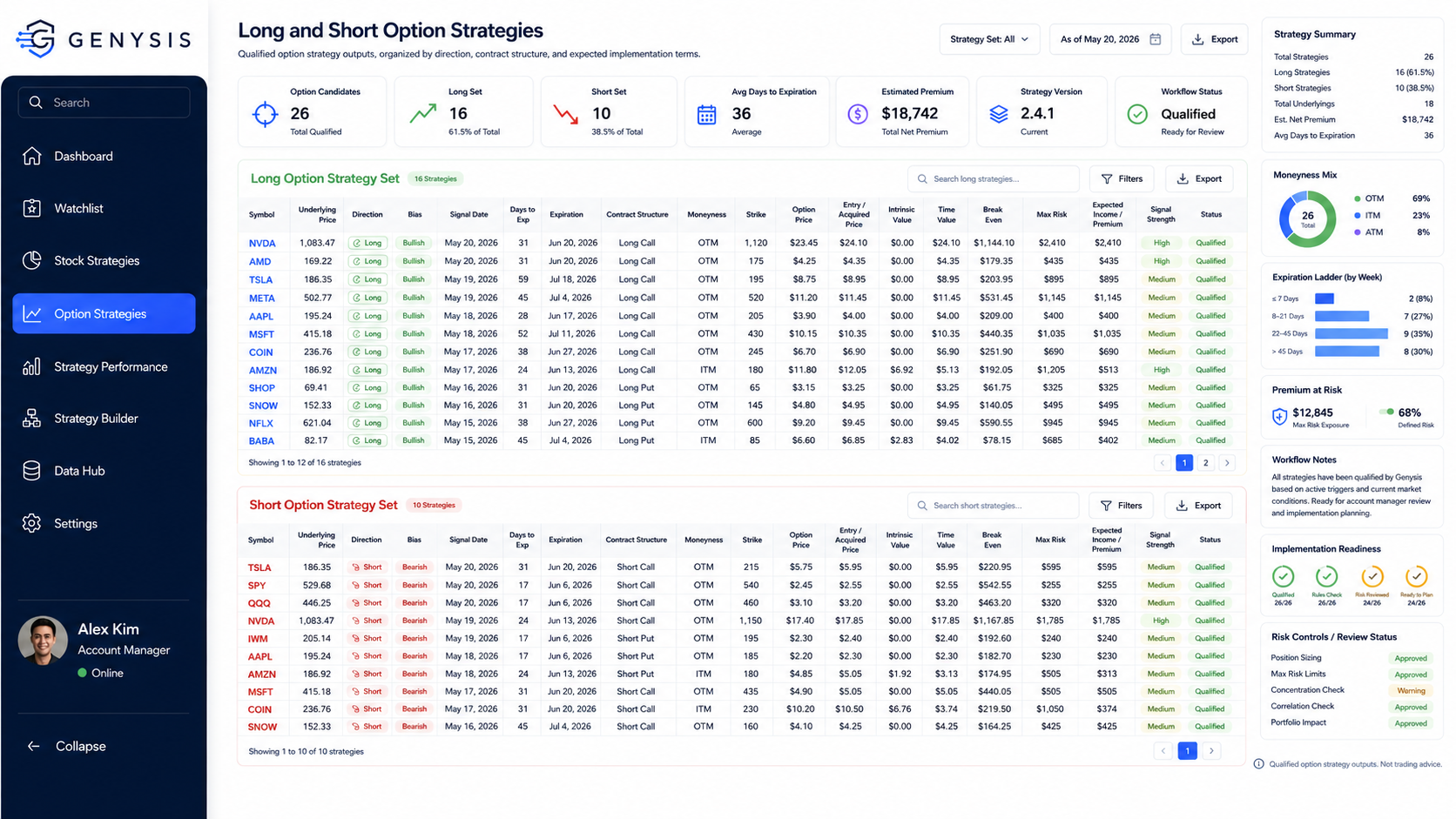
Managers can review contract structure, strike selection, risk, and premium details before controlled account-level implementation.
Performance
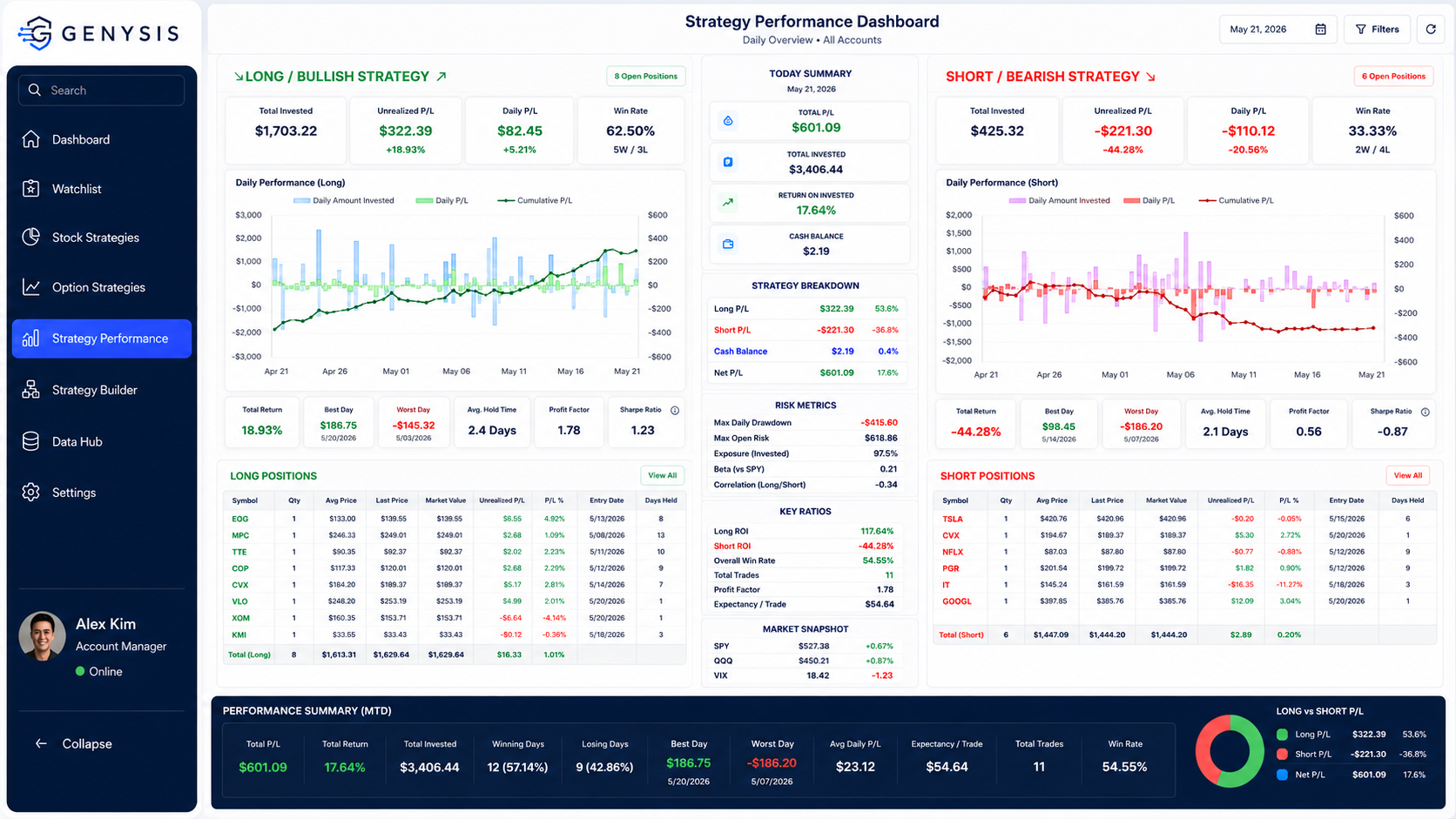
This is where strategy performance becomes visible day by day with retained visibility for disciplined supervision.
Data Hub
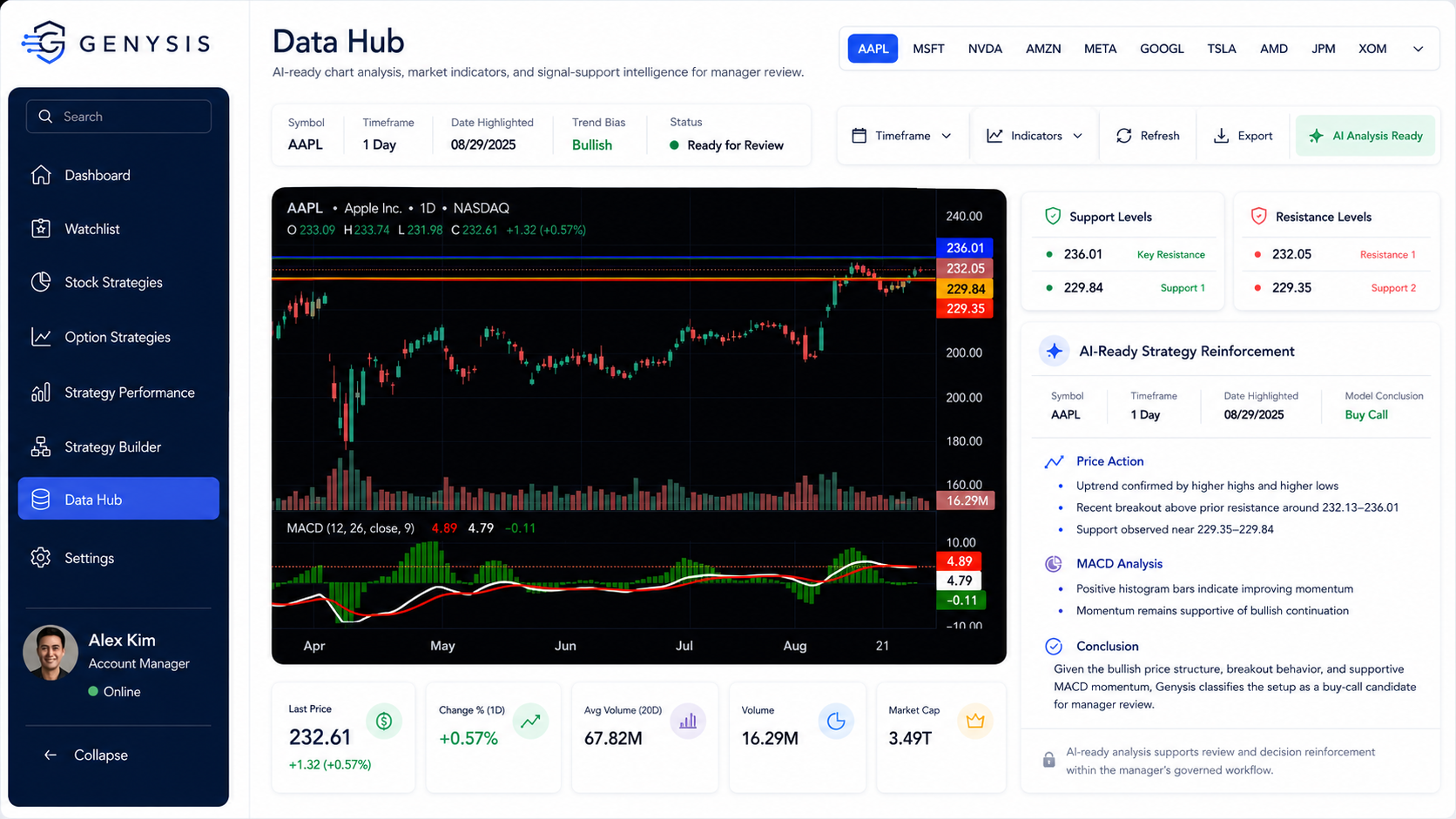
AI-ready analysis supports decision reinforcement within the manager's governed workflow, helping the manager evaluate whether observed conditions align with their configured strategy before any controlled implementation.
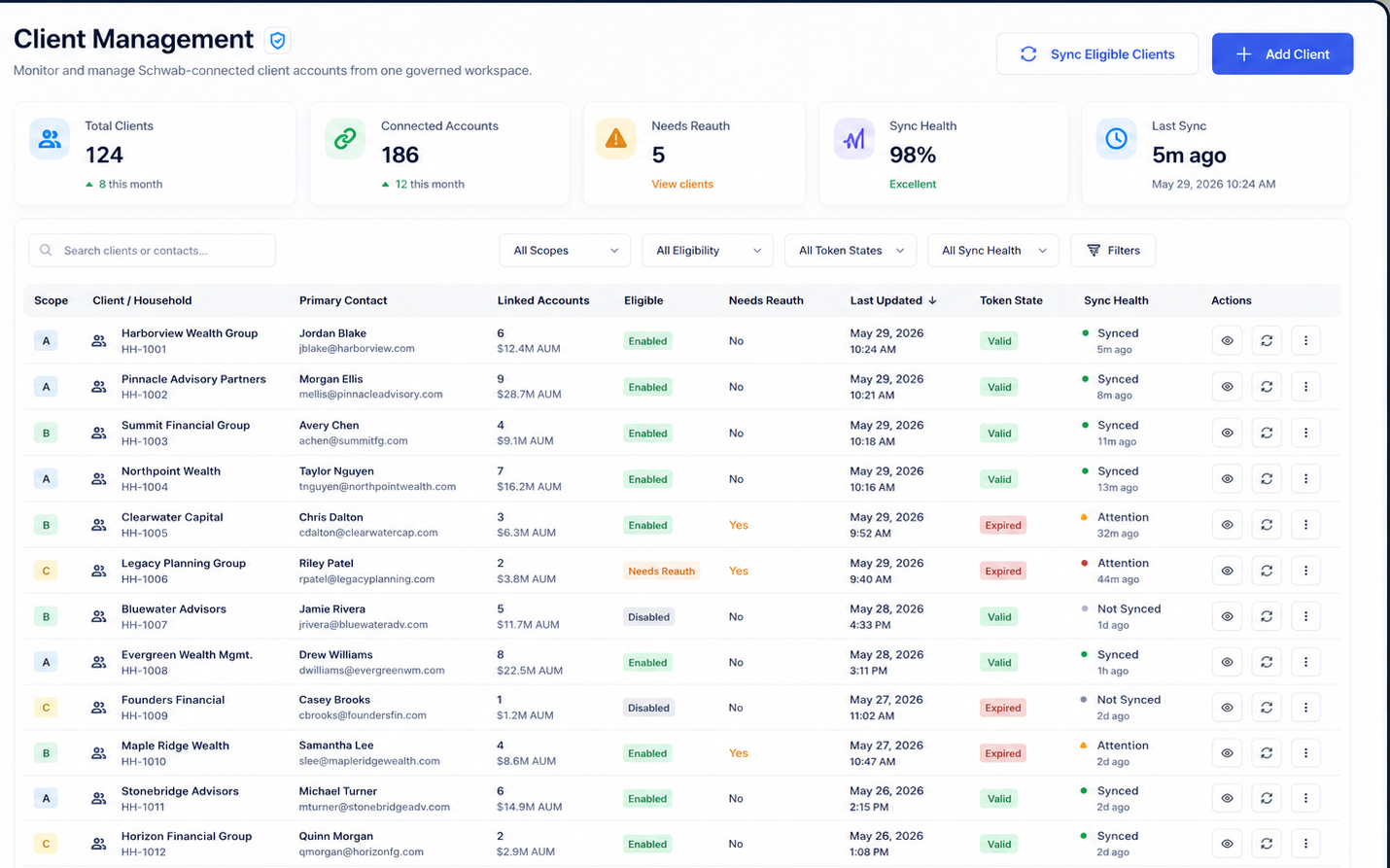
Genysis helps professional account managers manage client households, linked accounts, reauthorization status, and connection health through one clean, broker-connected workflow.
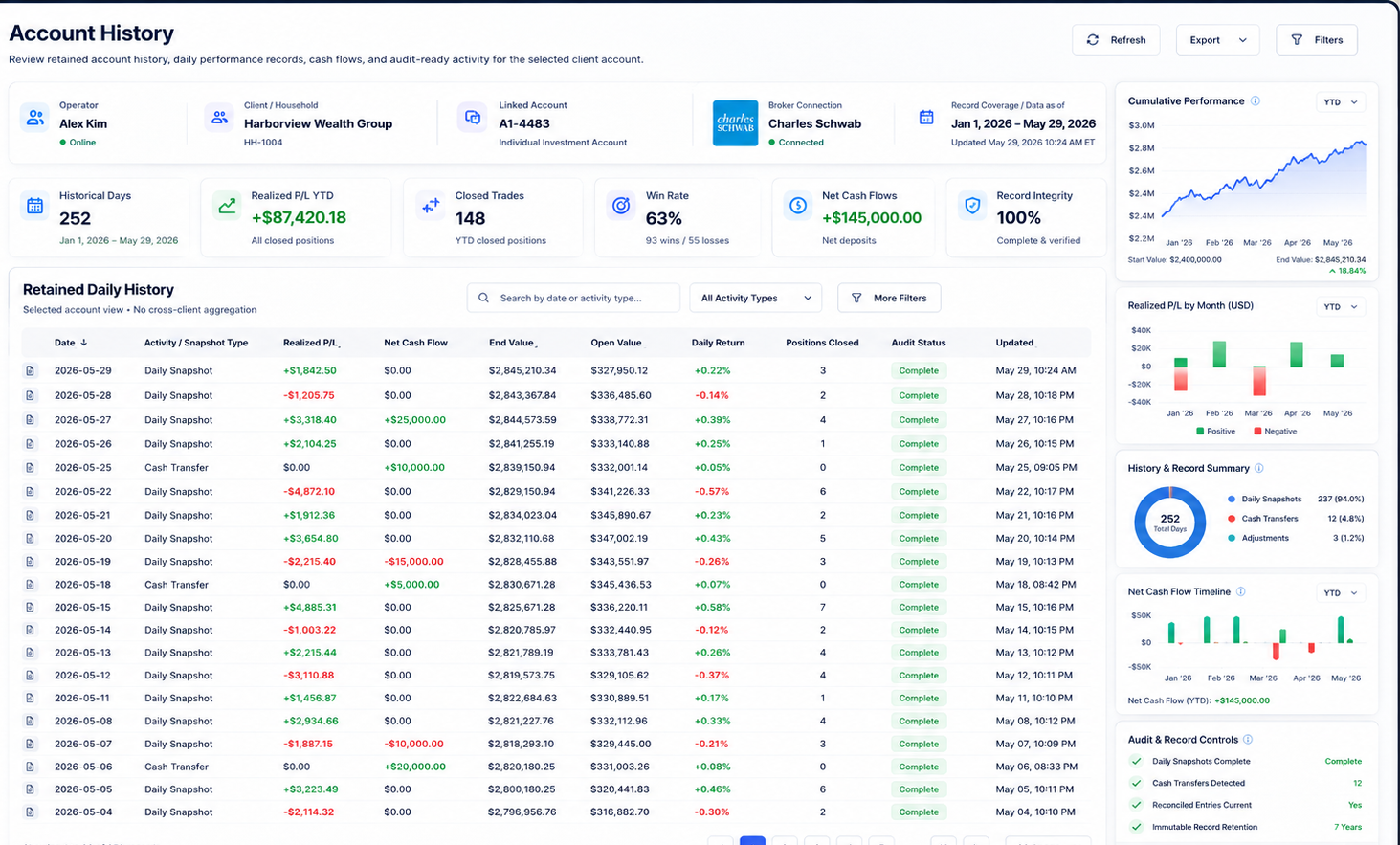
View positions, performance, balances, and exposure for each client account in a governed workspace—giving account managers a clear, non-commingled view of holdings, performance, allocation, and risk within the selected account.
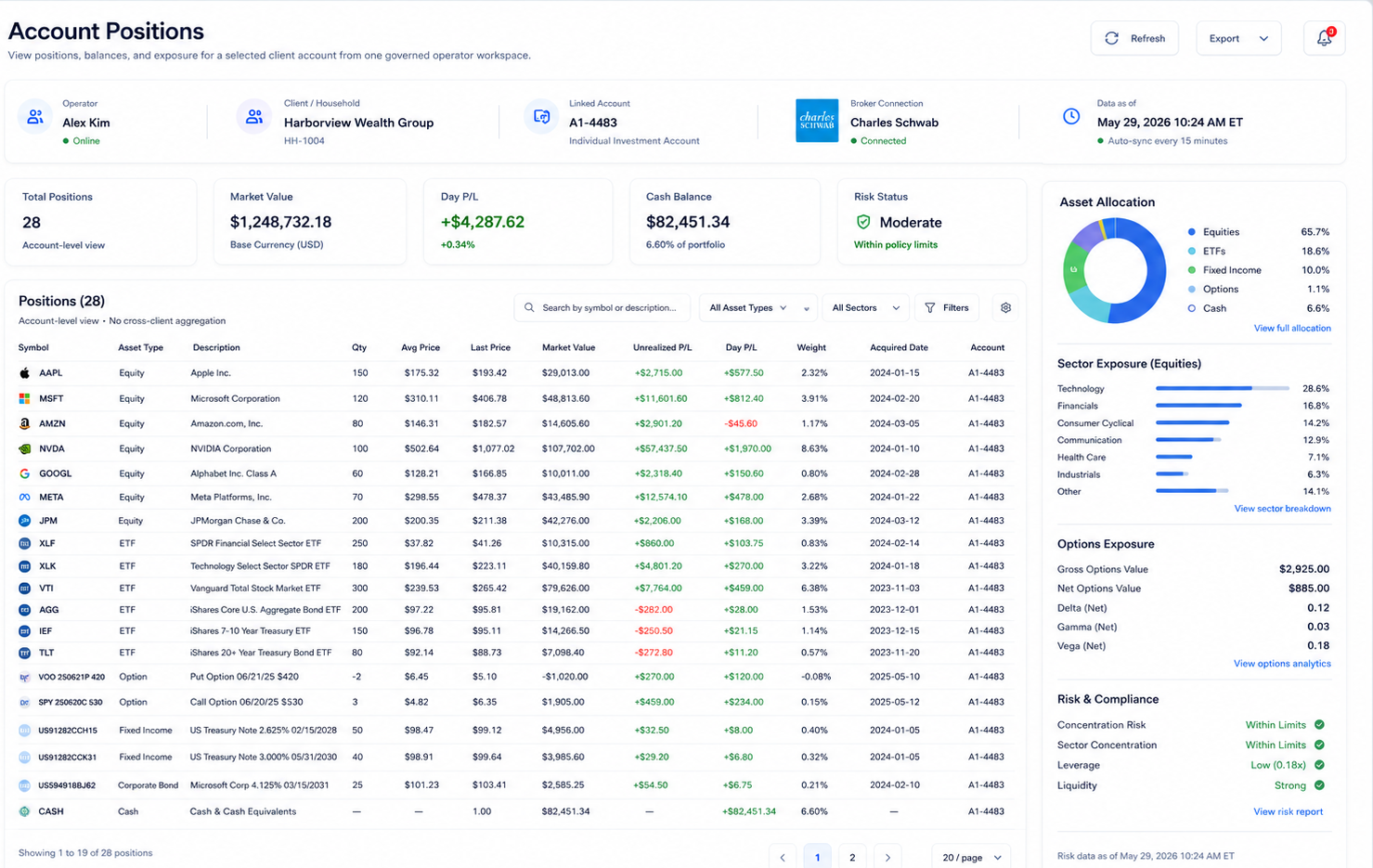
Review daily account history, cash flows, realized performance, and retained activity in one governed record—giving account managers a clear, time-stamped view of performance history, operational events, and audit-ready account reporting.
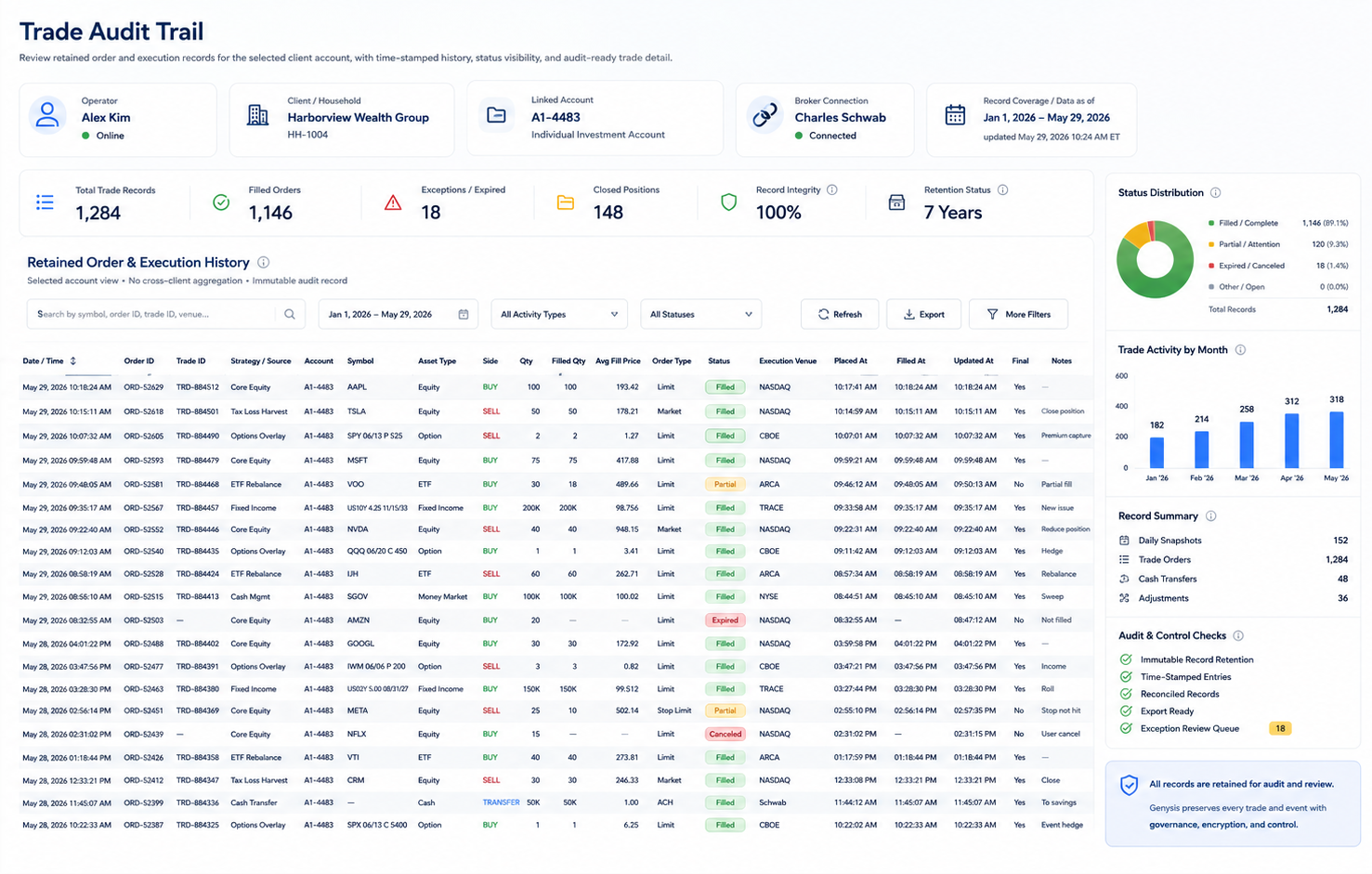
Track every order, execution, status update, and exception in one governed record—giving account managers a complete, time-stamped, audit-ready view of trade activity for each selected client account.
Who it is for

Governed client-account workspace
Secure operating control
Genysis gives your management business a cleaner operating layer for account visibility, token-state monitoring, retained activity records, performance reporting, and controlled account review.
Whether the account relationship begins through Schwab or another reviewed broker environment, the objective is the same: help your clients connect through a structured authorization path while giving you, the operator, a clearer backend visibility, stronger records, and a more controlled management workflow.
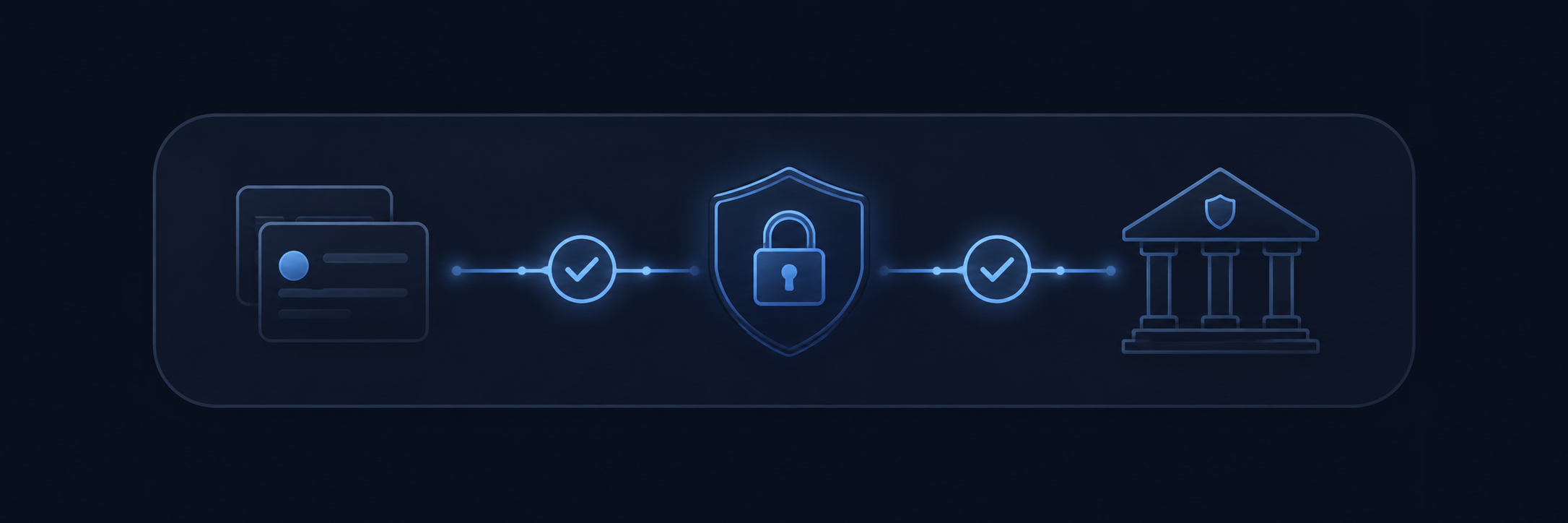
Connect client accounts through reviewed broker authorization workflows instead of informal credential handling or scattered manual access.
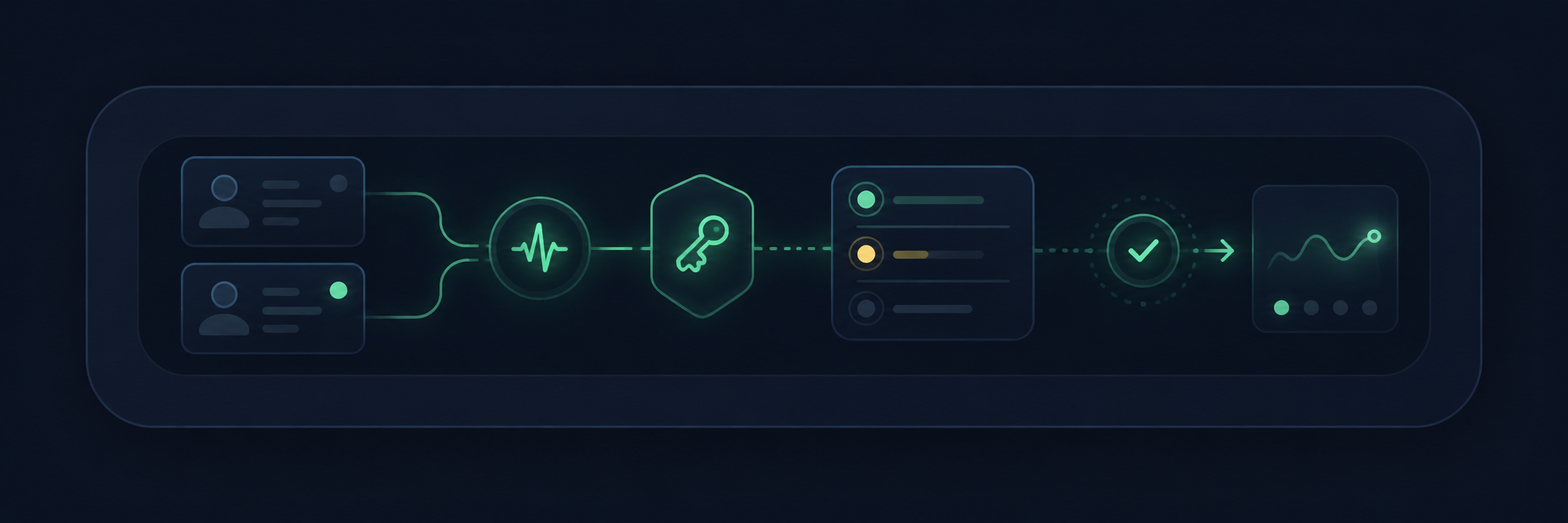
Monitor connection health, reauthorization status, account readiness, and token-state issues before they interrupt the workflow.
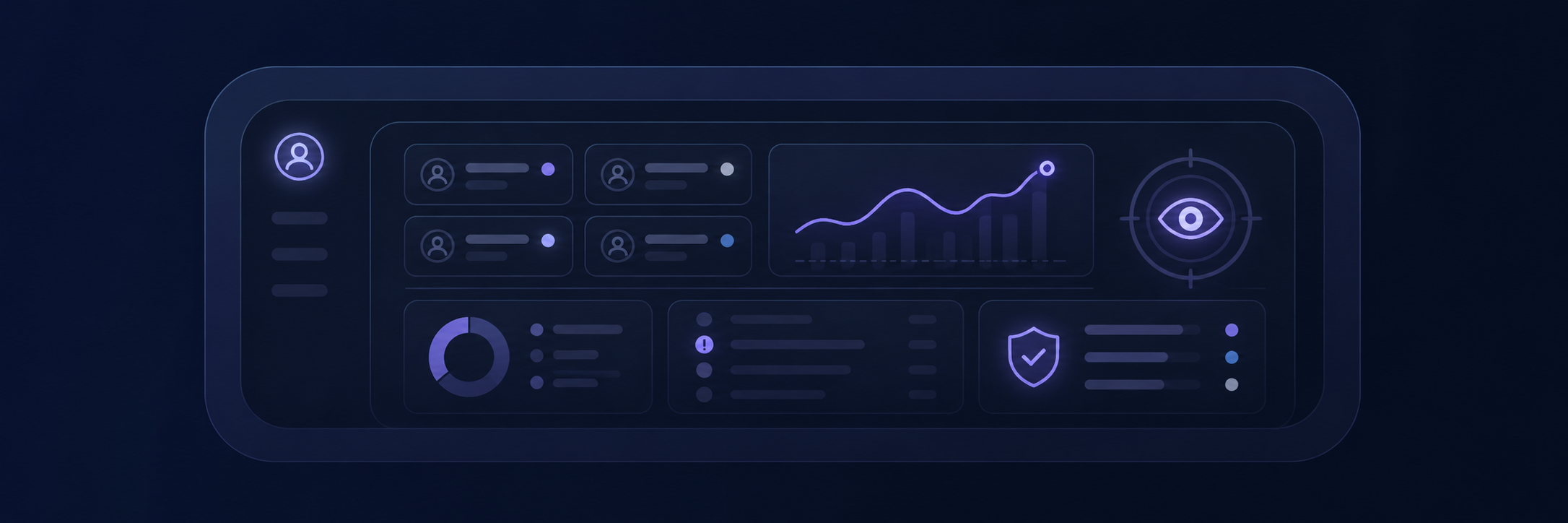
Review accounts, positions, activity, exceptions, and client-level operating status from a controlled workspace.
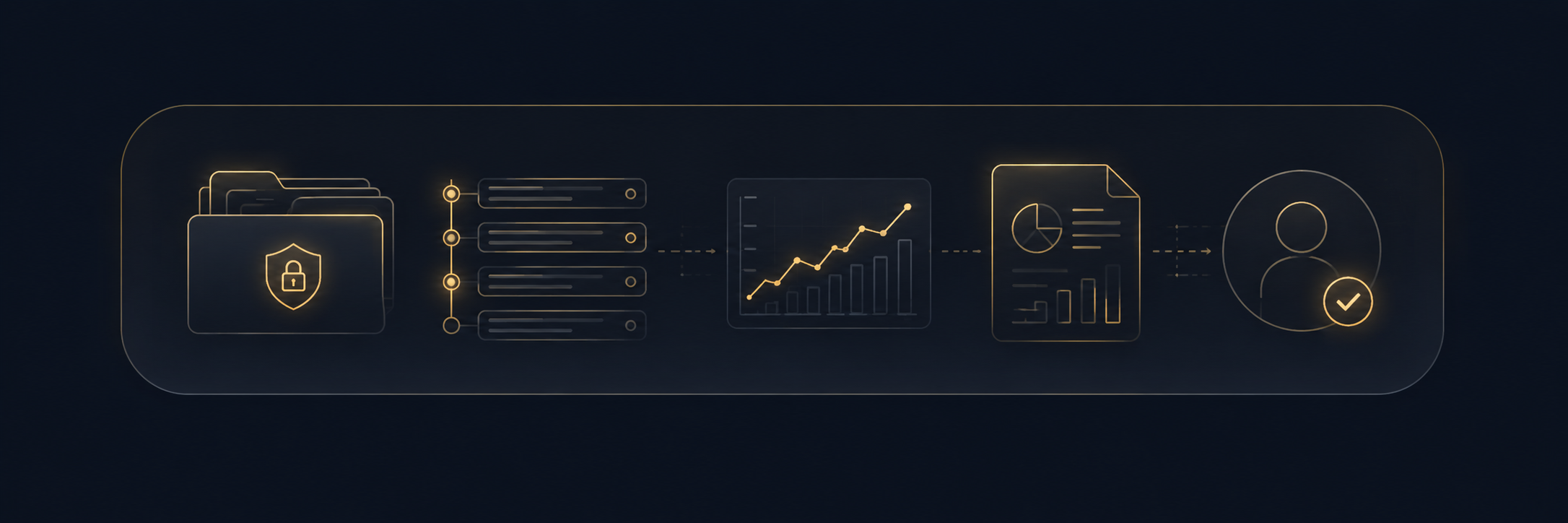
Preserve order activity, account history, reporting outputs, and performance views for later review and operational accountability.
Genysis is designed around broker-authorized connection workflows, permissioned access, token-state monitoring, controlled account-registration processes, and retained records to reduce operational exposure and strengthen account oversight.
Broker-connected client onboarding
Guided onboarding example
Using Schwab as the current guided example, Genysis gives managers a client-facing walkthrough that makes broker connection, account authorization, developer-app access, and system readiness for easy onboarding process.
View Schwab-Guided WalkthroughClient access example
After setup, your clients can securely access their account environment for connected account activity, retained records, positions and performance views.
View Client Access ExampleOther broker-connected workflows can be reviewed during onboarding based on account structure, authorization requirements, and integration availability.
Clarify the account-management business, client workflow, and operating goals.
Review account count, broker environment, authorization needs, and reporting expectations.
Confirm account access, permissions, connection requirements, and onboarding path.
Set up account-aware workflow rules, dashboard views, records, and operator controls.
Validate the workflow before recurring operating dependence begins.
Move into supervised use with active review, visibility, and exception awareness.
Continue with platform access, retained records, reporting visibility, and bounded support.